
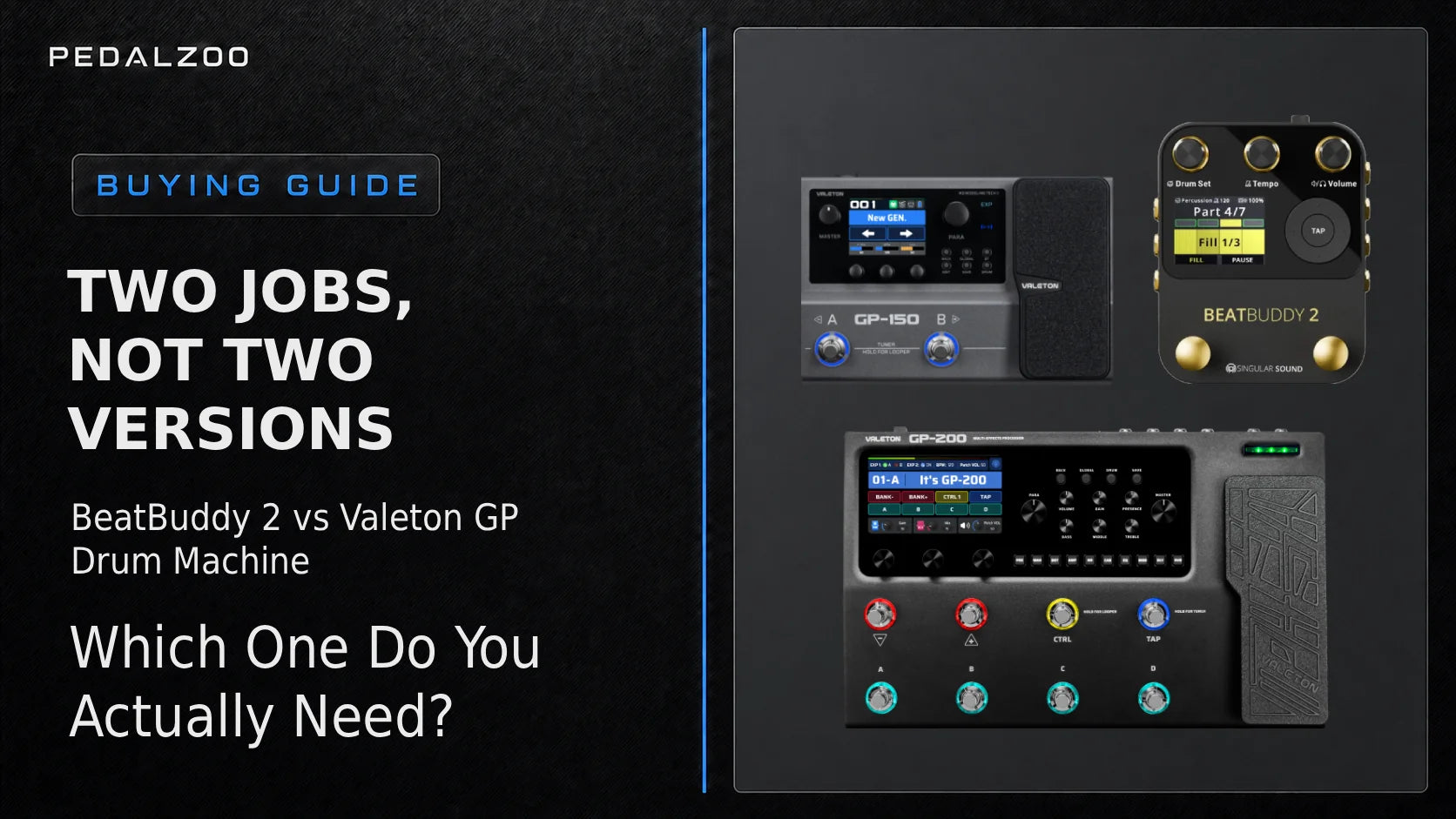
BeatBuddy 2 vs Built-In Drum Machines on Valeton GP Processors: Which One Do You Actually Need?
Short answer: if you only need a steady groove for practice, improvisation, or recording a quick loop, the drum machine already built into your Valeton GP processor is enough. Choose the BeatBuddy 2 when the drums need to follow an actual song — intros, fills, verse-to-chorus transitions, endings, setlist navigation, and hands-free control on stage.
Two Different Jobs, Not Two Versions of the Same Thing
It's tempting to compare these two the way you'd compare two amp sims — feature for feature, spec for spec. That's the wrong frame. The drum machine built into a Valeton GP processor is a rhythm tool: pick a style, set a tempo, play along. The BeatBuddy 2 is a virtual drummer that plays actual songs, complete with intro fills, verse and chorus sections, transition fills, drum breaks, accent hits, and outros — all triggered by your feet in real time.
Even when both products advertise "100+ patterns," they're not doing the same job. A Valeton drum machine loops a pattern while you adjust its tempo and volume on the fly. BeatBuddy 2 organizes its content as songs built from MIDI files, with structure, dynamics, and up to eight fills per section, so it can follow the actual arrangement of a tune rather than just keep time.
Why "100 Patterns vs 100 Patterns" Tells You Nothing
Valeton's spec sheets consistently list "100 drum patterns" across the GP-100, GP-200, GP-200JR, GP-200LT, GP-150, and GP-180 — genre-based loops with adjustable BPM (typically 40–250) and volume, controlled from a single onboard DRUM button.
BeatBuddy 2's numbers describe something structurally different: roughly 500 patterns organized into 233 songs across 24 genres and 220+ styles, built from 13 HD drum sets (up to 450MB each, four times the sample size of the original BeatBuddy), with 15 dynamic levels per hit, expandable to 320 drum sets and millions of user songs via SD card. The comparison isn't "100 vs 500" — it's "a loop library vs a song library."
Not All Valeton GP Processors Behave the Same Way
This is where a lot of buying confusion starts. Valeton's GP lineup spans two hardware generations, and the drum machine isn't identical across them. Rather than reviewing all seven models individually, it helps to group them into three behavioral families.
Family 1Full Onboard Drum Machine + Looper
The GP-100, GP-200 / GP-200X, GP-200JR / GP-200LT, GP-150, and GP-180 all ship with 100+ patterns stored directly on the unit. Press DRUM to toggle it on, hold DRUM to edit style, tempo, and volume via the quick-access knobs. No app or Bluetooth pairing required. These units also carry the longest loopers in the lineup: 90 seconds on the GP-100, up to 180 seconds on the GP-200 family, GP-150, and GP-180. The GP-200, GP-200JR, GP-200LT, GP-150 and GP-180 manuals also describe a Drum Sync option that aligns the looper's timeline with the drum machine.
Family 2Minimal Onboard, App-Dependent
The GP-50 ships with only 10 basic metronome-style patterns built in. To unlock the full drum library, you need Bluetooth and the Valeton Suite mobile app. Without pairing a phone, you get a click track, not a rhythm section.
Family 3No Onboard Drum Machine At All
The GP-5 has no standalone drum machine mode whatsoever. Patch editing and drum patterns both live exclusively inside the Valeton Suite app; the pedal cannot generate a beat on its own without a paired device. If you're shopping for the GP-5 specifically because you want a practice drummer, this is worth knowing before checkout.
| Model | Onboard patterns | Looper | Drum control |
|---|---|---|---|
| GP-100 | 100 | 90s, pre-effects | DRUM button + knobs |
| GP-200 / GP-200X | 100 | 180s | DRUM button, Sync in menu |
| GP-200JR / GP-200LT | 100 | 180s | DRUM button |
| GP-150 / GP-180 | 100+ | 180s | DRUM button, Drum Sync to preset tempo |
| GP-50 | 10 metronome-style, more via app | Yes | DRUM button + Bluetooth app |
| GP-5 | None onboard | None | Valeton Suite app only |
Autopilot: The Main Argument for BeatBuddy 2
Autopilot is the headline addition in BeatBuddy 2, and it's the single biggest functional gap between it and any built-in Valeton drum machine. Once enabled, Autopilot automatically handles part changes, fills, transitions between song sections, and the outro — it plays the arrangement the way a real drummer would follow a chart, without you touching anything.
What makes it more than a glorified backing track is that Autopilot can be interrupted at any point using the pedal's own footswitches: insert an extra fill, extend a section, cut a transition short, or jump straight to a specific part, all without breaking the song's timing. Onscreen, bars are color-coded to show what's coming next — intro, playing, fill, transition, pause, or stop — so you can see the arrangement approaching before you need to react to it.
No Valeton GP drum machine has an equivalent to this. Their onboard rhythm engines loop a single pattern; there's no concept of song structure, no automatic fills at section boundaries, and no way to program an outro. If your use case is playing full songs live — solo acoustic sets, worship, busking, one-man-band performance — Autopilot is the feature that makes BeatBuddy 2 worth adding to a Valeton-based rig rather than relying on the processor's own drum machine.
Where the Built-In Machine Is Genuinely Better
None of this means the onboard drum machine is a compromise. For its actual job, it has real advantages:
- Zero extra cables, zero extra pedalboard real estate
- Tempo is already tied to the current preset — no separate device to keep in sync
- Runs off the same power supply as the rest of the unit
- Instant on/off with a single button press, no menu diving for a quick practice loop
For woodshedding scales, working out a riff, or laying down a quick idea with the built-in looper, this is faster and simpler than bringing in a second pedal.
Connecting BeatBuddy 2 and Your Valeton GP: Three Routing Scenarios
If you decide you want both devices working together, the wiring depends on what you're trying to sync.
Scenario 1: BeatBuddy 2 as MIDI Master
Connect BeatBuddy 2's 5-pin MIDI OUT to the Valeton's MIDI IN: a standard 5-pin MIDI cable for the GP-200 and GP-200X, or a TRS-to-5-pin MIDI adapter for the GP-200LT (1/8" TRS) and the GP-150 and GP-180 (1/4" TRS). The GP-200JR has no dedicated 5-pin or TRS MIDI jack for a direct cable connection to BeatBuddy 2; it supports MIDI over USB-C when its USB Mode is set to Normal. BeatBuddy 2 can send MIDI Clock, Start, and Stop. The GP-200, GP-200LT and GP-180 manuals include a Clock Source setting for incoming MIDI clock; the GP-150 manual doesn't list one. Valeton doesn't document how incoming clock or Start/Stop affects the built-in drum machine or looper, so test tempo sync on your own setup before relying on it live.
Scenario 2: Audio-Only, Mixed at the Amp
Run BeatBuddy 2's mono or stereo outputs into your Valeton GP's AUX input (1/8" stereo on the GP-100 and GP-200 family; the GP-150, GP-180, GP-50 and GP-5 don't list an AUX input) or straight to a separate channel on your amp/PA. No MIDI cable needed, but tempos are set manually on each device and won't stay locked if either one drifts.
Scenario 3: BeatBuddy 2 + an External MIDI-Synced Looper
For songwriting or performance rigs that also use a looper, route BeatBuddy 2's MIDI OUT into a MIDI Sync-capable looper (such as the Aeros Loop Studio) rather than relying on the Valeton's internal looper. A looper without MIDI Sync isn't locked to the drum track's clock; a MIDI Sync-capable looper follows BeatBuddy 2's clock. With Aeros set as MIDI Receiver (its default) and receiving MIDI clock and transport messages from BeatBuddy 2, Quantized mode aligns loop starts and ends to measure boundaries.
Looper Sync: The Question We Get Most
On the GP-200, GP-200JR, GP-200LT, GP-150 and GP-180, the looper has a Drum Sync (Sync) option that aligns the looper's timeline with the built-in drum machine. Valeton notes it only makes small adjustments: turn it on before recording and play in time with the drum (the GP-200 manual says the timing error must be under 50 ms). If you want loops to follow BeatBuddy 2's clock instead, use a looper that follows MIDI clock, such as the Aeros Loop Studio in Quantized mode.
Troubleshooting: Five Things That Trip People Up
- Drum machine missing from a USB recording: on the GP-200 the drum machine is treated as an effect sound, so if both USB Rec Mode channels are set to "Dry" it may not be recorded. Set Global Settings → USB Audio → Rec Mode (L/R) to "Wet". This setting applies to USB recording, not the internal looper.
- Loop and drum machine drift apart: turn on the looper's Drum Sync (Sync) before you record and play in time with the drum; Valeton says it only corrects small timing differences.
- GP-5 or GP-50 "missing" most of their patterns: these models rely on Bluetooth and the Valeton Suite app for their full pattern library. Without a paired phone, you're limited to the onboard metronome patterns (or none, on the GP-5).
- Power supply mix-ups: BeatBuddy 2 and the Valeton GP units run on 9V DC, but their current needs differ widely. Singular Sound specifies a 9V, 500mA, center-negative supply for BeatBuddy 2 (at least 300mA). Valeton lists 1000mA for the GP-200, GP-200X, GP-200JR and GP-200LT, 1.5A or more for the GP-150 and GP-180 (minimum operating current 1A), 500mA for the GP-100 and GP-50, and 100mA for the GP-5. Check each unit's rating and polarity before sharing a power brick; Singular Sound also warns that sharing a supply with other pedals can add noise and recommends isolated outputs.
- Expecting BeatBuddy 2 to process your guitar tone: it doesn't apply any effects to an instrument signal. It's a drum machine in a pedal enclosure, not an audio processor — route your instrument through your Valeton GP as usual and treat BeatBuddy 2 as a separate audio source.
Who Should Buy What
| Use case | Recommendation |
|---|---|
| Home practice, scales, riff ideas | Built-in Valeton drum machine |
| Songwriting with a quick loop | Built-in drum machine + onboard looper (Drum Sync on) |
| Solo/duo live gigs, worship, busking, one-man-band | BeatBuddy 2 |
| Maximum hands-free control on stage | BeatBuddy 2 + SuperSwitch bundle |
If BeatBuddy 2 Is More Than You Need
Not everyone needs Autopilot, HD drum sets, or SuperSwitch support. Singular Sound keeps two simpler options in the lineup for players who want hands-free drums without the full BeatBuddy 2 feature set:
- BeatBuddy Mini 2 — a smaller, simplified pedal built around the same MIDI-song approach, at a lower price point and a smaller footprint for tight pedalboards.
- BeatBuddy 10th Anniversary Edition — the original BeatBuddy in a limited black-and-gold finish, for players who want the proven first-generation workflow rather than BeatBuddy 2's newer feature set.
Both can be paired with the Footswitch+ to add accent hits, pause/unpause, and song/genre navigation without stepping up to the full BeatBuddy 2 and SuperSwitch combination.
Frequently Asked Questions
Can I sync BeatBuddy 2 with my Valeton GP over MIDI?
Partly, depending on the model. BeatBuddy 2 has 5-pin MIDI IN/OUT ports and can send or receive MIDI Clock, Start, and Stop. The GP-200 and GP-200X have 5-pin MIDI; the GP-200LT has 1/8" TRS MIDI; the GP-180 has 1/4" TRS MIDI IN and OUT; the GP-150 has a 1/4" TRS MIDI IN only. TRS models need a TRS-to-5-pin adapter. The GP-200JR has no dedicated 5-pin or TRS MIDI jack for a direct cable connection to BeatBuddy 2; it supports MIDI over USB-C when its USB Mode is set to Normal. The GP-200, GP-200LT and GP-180 manuals list a Clock Source setting for incoming MIDI clock; the GP-150 manual doesn't. Valeton doesn't document MIDI Start/Stop, so test sync on your own setup.
Why does my GP-50 only have 10 drum patterns?
That's by design. The GP-50 ships with 10 basic metronome-style patterns onboard; the full pattern library is only accessible through Bluetooth pairing with the Valeton Suite mobile app.
Does the internal looper record the drum machine?
Valeton's manuals don't say whether the internal looper records the drum machine, so check this on your unit. The Rec Mode (L/R) Dry/Wet setting is for USB recording: on the GP-200, if both USB channels are set to "Dry", the drum machine may not be recorded over USB — set Global Settings → USB Audio → Rec Mode to "Wet".
Do I need the SuperSwitch to use BeatBuddy 2?
No, BeatBuddy 2 works fully with its own footswitches. The SuperSwitch adds six additional buttons for expanded control — useful for complex setlists, but not required for basic use.
Will BeatBuddy 2 work with bass or acoustic instruments?
Yes. BeatBuddy 2 doesn't process an instrument signal at all — it's a standalone drum machine that runs alongside any electric or acoustic setup, including bass rigs.
Can one power supply run both units?
Only if each output meets that unit's requirement. BeatBuddy 2 needs 9V DC, center-negative, at least 300mA (Singular Sound specifies a 500mA supply). Valeton GP requirements range from 100mA (GP-5) to 1.5A or more (GP-150, GP-180; minimum operating current 1A), so an output rated below a unit's requirement may not run it reliably. Singular Sound recommends isolated outputs, or a separate supply if you hear noise.